
You're Probably Using AI Like Its Google
One simple change can turn generic answers into useful, personalized guidance.

I’m Brandon Wilson — a health consultant helping purpose-driven people take control of their wellness and become truly wellthy.
Each week, I share practical insights, biohacker-level strategies, and real-world wellness tools so you can make informed choices, elevate your energy, and build a body and mind that support your best life.
If you’re committed to investing in your health, not just learning, but actually upgrading, you’re in the right place.
First time here? Welcome. Your future self is already thanking you.
In today’s newsletter:
The evolution of web search in the AI era
Tips for writing effective AI prompts
Top 10 real-world AI examples
A daily habit with a prompt to improve your results
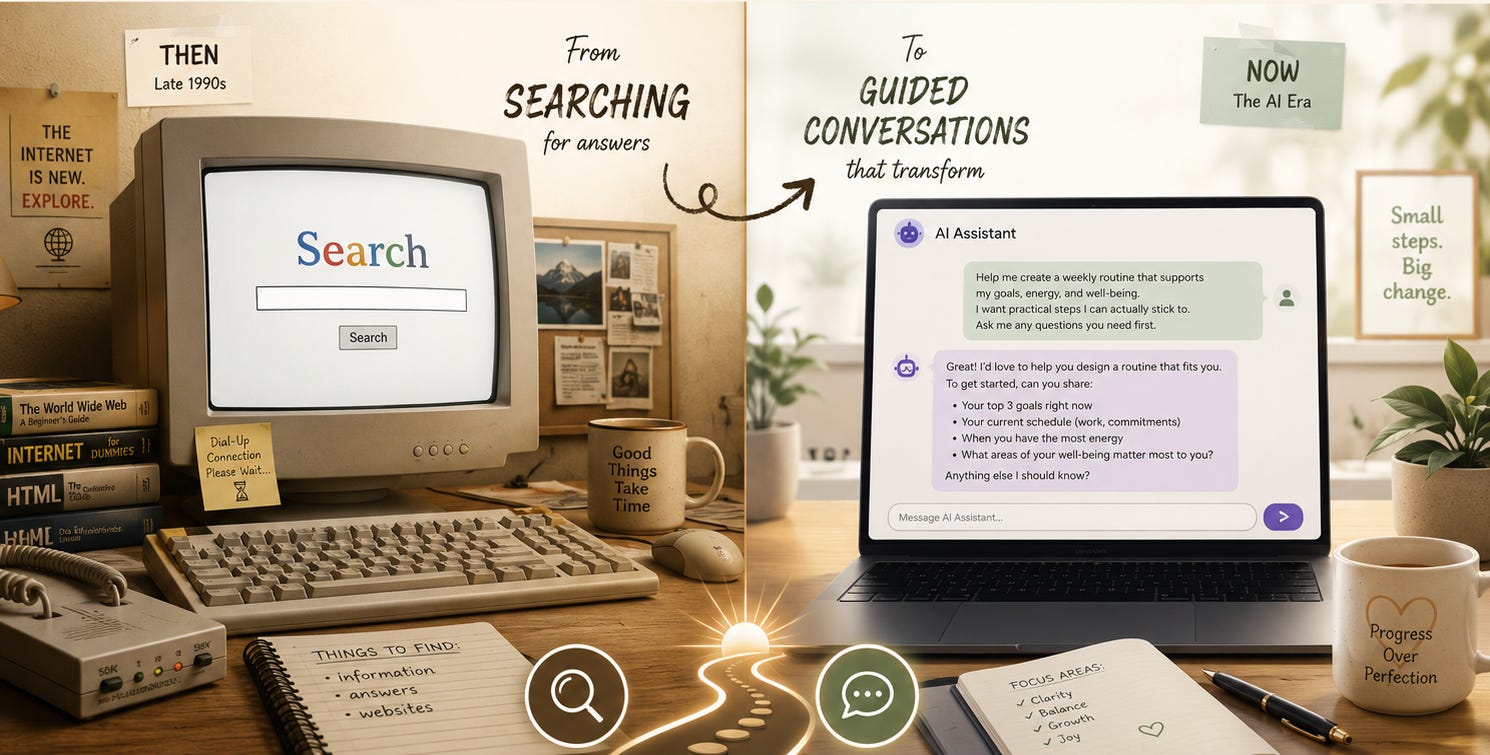
Let’s take a trip down memory lane back to the late 1990’s when many people’s first experience with internet service was AOL. Once you finally got online, how did you find anything? Do any of these search engines ring a bell?


Then Google came along.
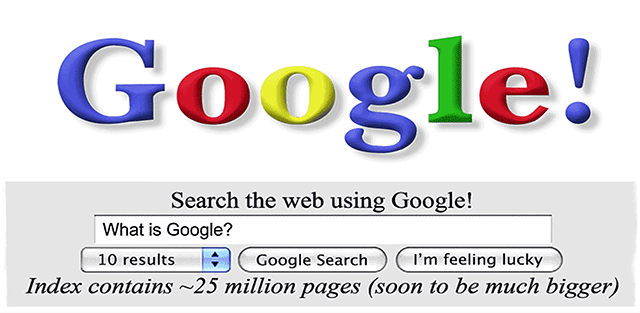
Larry Page and Sergey Brin originally called their search project BackRub because it analyzed the “backlinks” pointing to websites. As the story goes, the founders thought of the mathematical term googol, which is the name for the number 1 followed by 100 zeroes. Someone misspelled googol as google in the web domain search, and google.com was available and registered in 1997.
For about 28 years, we’ve been searching for information in roughly the same way: type a few keywords into a box, scan a page of links, open several tabs, and attempt to piece together an answer.
📝 Fun Fact: We came surprisingly close to saying, “Just BackRub it.”
Using Google beats paging through the Encyclopedia Britannica, and for looking up world facts, trivia, and resources, it’s been a great tool. But Google is primarily designed to help you find information, not help you understand the information, apply it to your situation, or decide what to do next.
Where Google Falls Short
I use a database query language called Structured Query Language (SQL) in my consulting work. When I got stuck, I would search Google for the problem. That usually led me into a collection of technical forums where people had asked vaguely similar questions. I would read through several answers, compare their situations with mine, and attempt to adapt someone else’s solution to my problem.
Not ideal.
Health information presents another limitation.
I stopped using Google many years ago for health information because it was giving me all the mainstream, “approved” information and steering me away from “alternative health topics.” If you don’t think the mainstream health narratives are dubious at best, perhaps you were not paying close attention during the era of Everyone’s Favorite Virus™️.
From Searching to Conversing
I rarely use Google anymore because AI tools are much more powerful for many of the things I’m trying to accomplish.
If you haven’t started using AI yet, I’m going to provide another gentle nudge. ChatGPT and Claude are two of the best ones to get started with. You don’t even have to type; you can talk to it like a person. You can open a free account, but remember: when a service is free, YOU are the product. If you want to get serious about using AI to greatly increase your productivity, the standard individual upgrades—ChatGPT Plus and Claude Pro—currently cost USD $20 per month. For me, the productivity gained is easily worth the cost.
💻 Pro Tip: Whatever tool you use, review its privacy and data settings before entering sensitive personal, health, or business information.
If you’re new or already familiar with AI, let’s talk about where the magic happens:
prompts
Prompting 101: Asking A Better Question
I’ve heard people complain that they ask AI questions and get terrible or unhelpful answers. With AI, as with any other computer systems and software, the output is only as good as the input. Many people using AI are starting with the same inquiries they typed into Google. Here is an example.
Level 1: how to sleep better naturally
You could refer to my previous newsletter where I shared all my best free sleep tips. But I digress.
A simple prompt will give you generic results: avoid caffeine, reduce screen time, keep a schedule, etc.
Let’s enhance this prompt a bit.
Level 2: I want to improve my sleep naturally without using medication. Give me a practical list of daily habits that can help, explain why each one matters, and separate them into morning, daytime, evening, and bedtime habits.
This prompt is better because it asks for natural sleep support, practical habits, explanations, and a usable structure.
Now let’s go to an advanced-level prompt.
Level 3: Act as a wellness educator. I’m trying to improve my sleep naturally because I often wake up tired and have trouble winding down at night. Create a 14-day sleep reset plan that includes morning light exposure, caffeine timing, evening routine, screen boundaries, meal timing, stress reduction, and bedroom environment.
For each day, give me 2-3 simple actions, explain the reason behind them in plain English, and include a short reflection question so I can notice what is helping. Keep the tone encouraging, realistic, and non-medical. Include a reminder to consult a healthcare professional if sleep issues are severe, persistent, or connected to a medical condition.
This is the strongest version because it gives the AI:
A role: wellness educator
A goal: improve sleep naturally
Context: tired on waking, difficulty winding down
Specific topics: light, caffeine, screens, meals, stress, bedroom
Format: 14-day plan
Tone: encouraging and realistic
Safety boundary: non-medical; consult a professional when needed
Notice how the strongest prompt reads less like a search query and more like a conversation.
A Google search asks, “Where can I find information about this?” A strong AI prompt asks, “Given my goal, circumstances, and preferences, can you help me turn this information into a useful next step?”
That doesn’t mean AI is an all-knowing, uncensored oracle. AI can repeat conventional assumptions, overlook alternative perspectives, misunderstand a question, and confidently make mistakes.
But when used correctly, AI can help you explore multiple viewpoints, organize research, compare ideas, identify questions you haven’t considered, and turn large swaths of information into something useful.
We’ve come a long way from AOL CDs, dial-up modems, and asking Jeeves.
The people who benefit most from AI won’t necessarily be the most technical. They’ll be the ones who learn to communicate clearly, think critically, and ask better questions. So go ahead and talk to AI like a person. Just remember: Much like a person, it gives better answers when you ask better questions.
So, what’s one question you could upgrade today?
Top 10 “AI Can Do That?” Real-World Examples
Find active discount codes before you check out.
Compare products before you buy and alert you to price drops.
Summarize long articles, PDFs, and YouTube videos.
Help write a customer complaint or a glowing review.
Organize files in Google Drive, Dropbox, or on your computer.
Plan meals from what’s already in your fridge/pantry. Just take a picture.
Answer customer phone calls. Call this number for a demo: (619) 941-0375.
Organize your email inbox and unsubscribe from pesky newsletters (as long as you keep mine 😊)
Create a professional presentation from your notes or various documents.
Build a website from messy information or multiple sources.
By the way, the Be Wellthy Conference Connection is now 95% automated by Claude. The directory has over 230 events in 31 US states and 26 countries around the world, covering topics such as longevity, psychedelics, functional medicine, women's health, biohacking, and holistic wellness. I have a scheduled task that runs nightly to find events, and it lists them on a private website for me to review and approve or decline. I can then have it process the backlog, add the listings, and I perform a quick QC.

The Daily Habit is where I share my habits related to the fundamentals: sleep, diet, physical activity, mindfulness, and stress management.
Let AI help you write better prompts. Use this one to help you write prompts that will give you much better results. By the way, this prompt uses a technique known as “reverse prompting.” When you tell the AI to ask you questions, it’s going to help you refine your request even more.
Act as my prompt engineer. Help me turn my rough request into a high-quality AI prompt.
First, identify what I’m trying to accomplish. Ask clarifying questions if needed. Then rewrite my prompt in three levels: simple, professional, and advanced. Include role, context, goal, constraints, tone, format, and success criteria. Briefly explain why the improved version will work better.
My rough prompt is:
[PASTE PROMPT HERE]
Be Wellthy Club Member exclusives for this newsletter:
Audio commentary
My list of the top AI models by purpose
Prompt pack for the top 10 real-world examples to copy/paste into your AI tool of choice
👉 Join the Be Wellthy Club ($7/month or $70/year) for full access to 300+ past issues in the archive, bonus content, exclusive audio, a private podcast RSS feed, and a private Facebook group.
